Reference
Incident Management
This is the most frequently used part of the dashboard. Here, you notify your customers about incidents and update them as you work to resolve the issue.
1
Add an IncidentLog in to your status page at , then select your status page.
Go to the Incidents tab, then click the
After clicking, a new form will appear. Here you can enter:
Add Incident
button:After clicking, a new form will appear. Here you can enter:
- Incident title
- Current status of the incident
- Your message
- Components affected by the incident
- Incident date
- Whether or not to notify your customers
statusmate.top
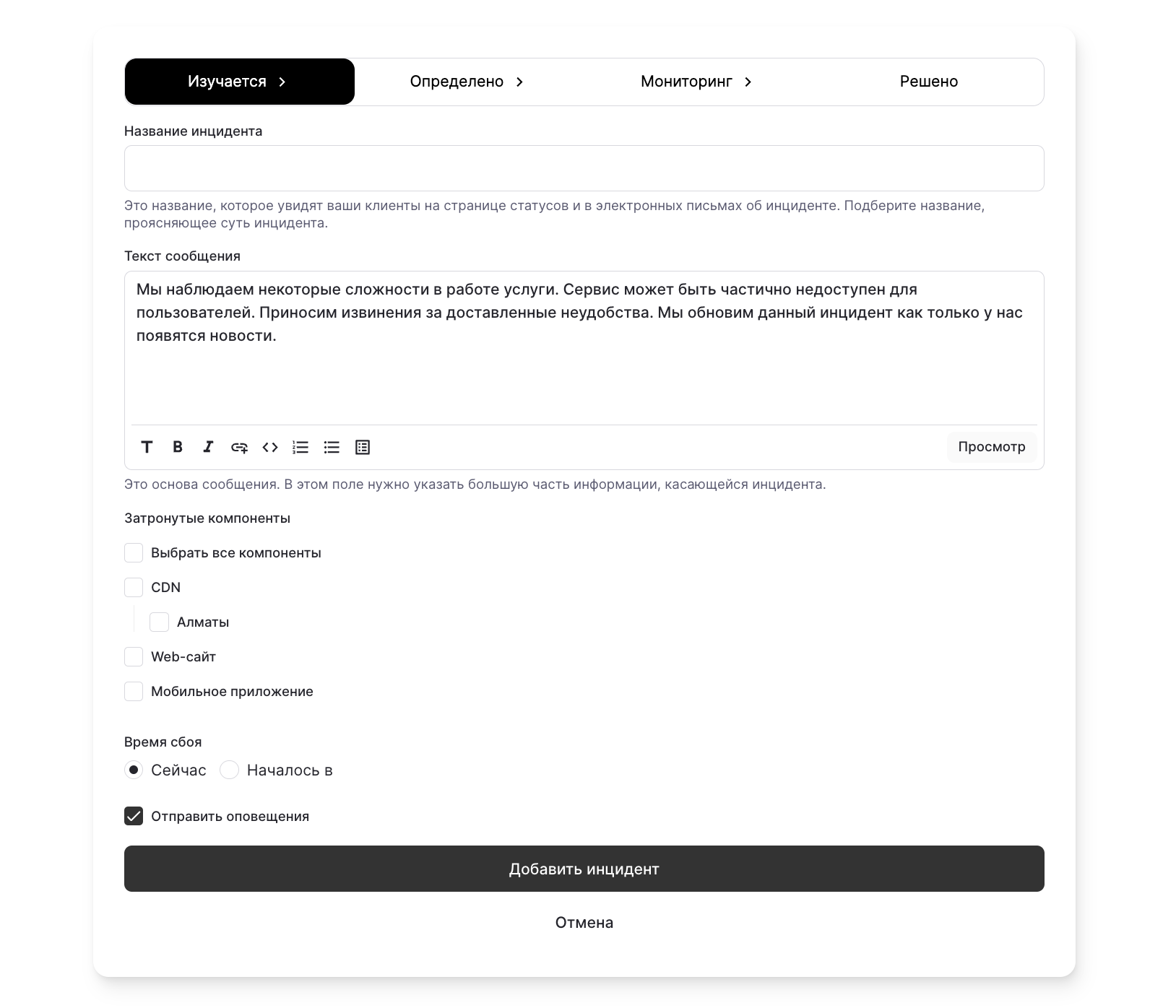
Incident added! 💁🏻
2
Add an Incident UpdateGo to the Incidents section and click on the incident you want to update. You’ll see a list of incident updates. Click on
After clicking the button, a new form will appear. Here you can enter:
Add Update
.After clicking the button, a new form will appear. Here you can enter:
- Current status of the incident
- Your message
- Components affected by the incident
- Date
- Whether you want to notify your customers
statusmate.top
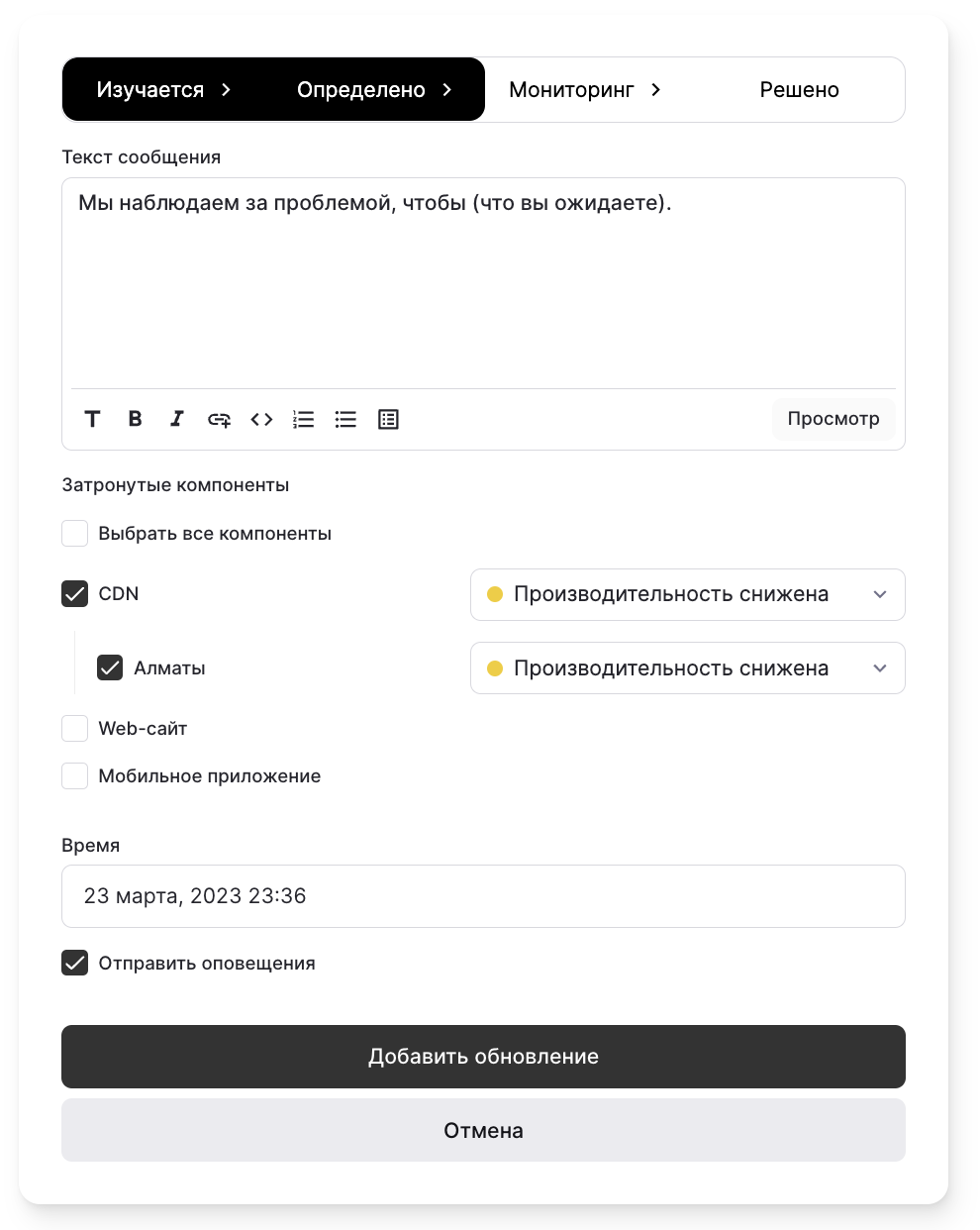
Update was added 💁♀