Reference
Mattermost
To integrate an incoming webhook for Mattermost, you will need to complete a few steps. The webhook allows
Statusmate
to send messages to Mattermost channels.1
Creating an incoming webhook in Mattermost- Log into your Mattermost account as an administrator.
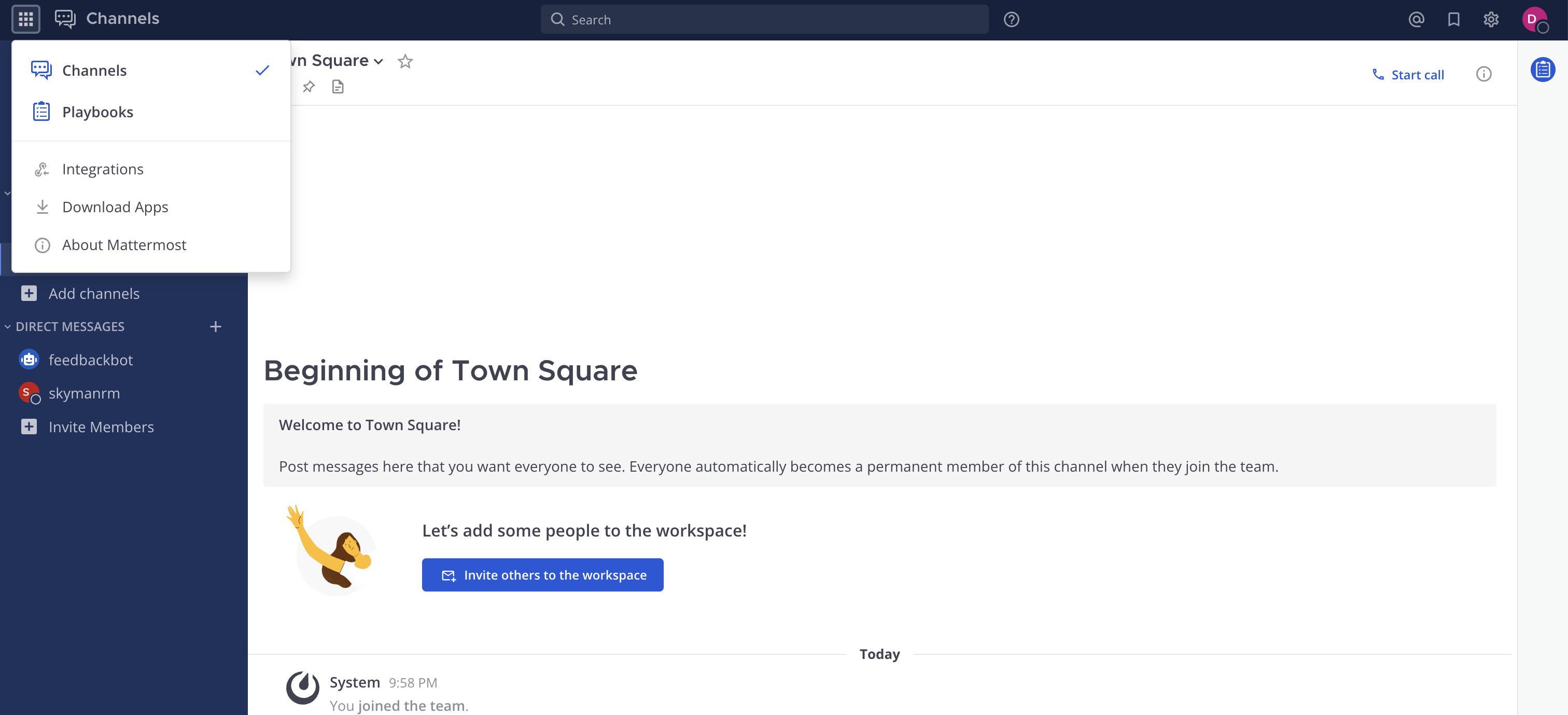
- Click the channel name at the top of the Mattermost interface. SelectIntegrationsfrom the dropdown menu.statusmate.top
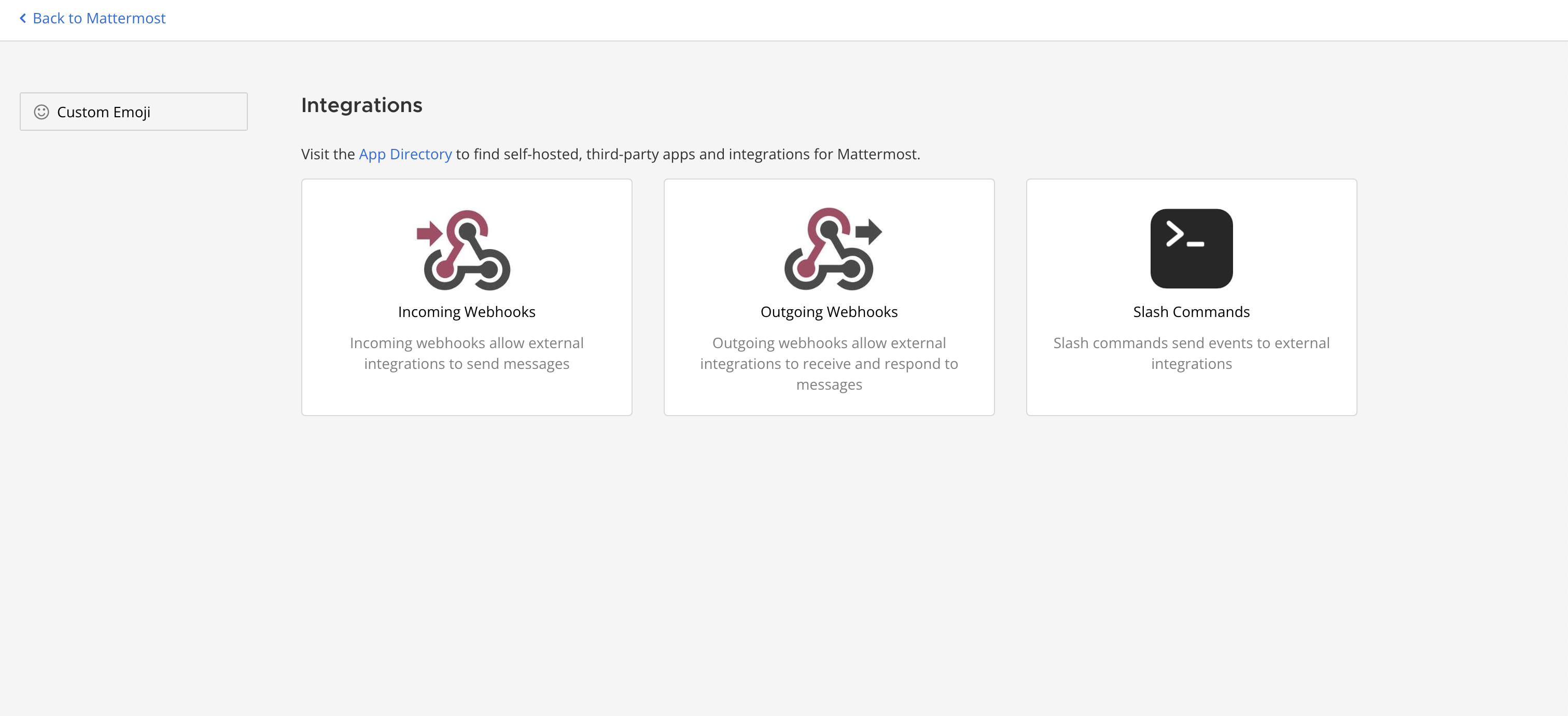
- Then selectIncoming WebhooksorIncoming Webhooksstatusmate.top
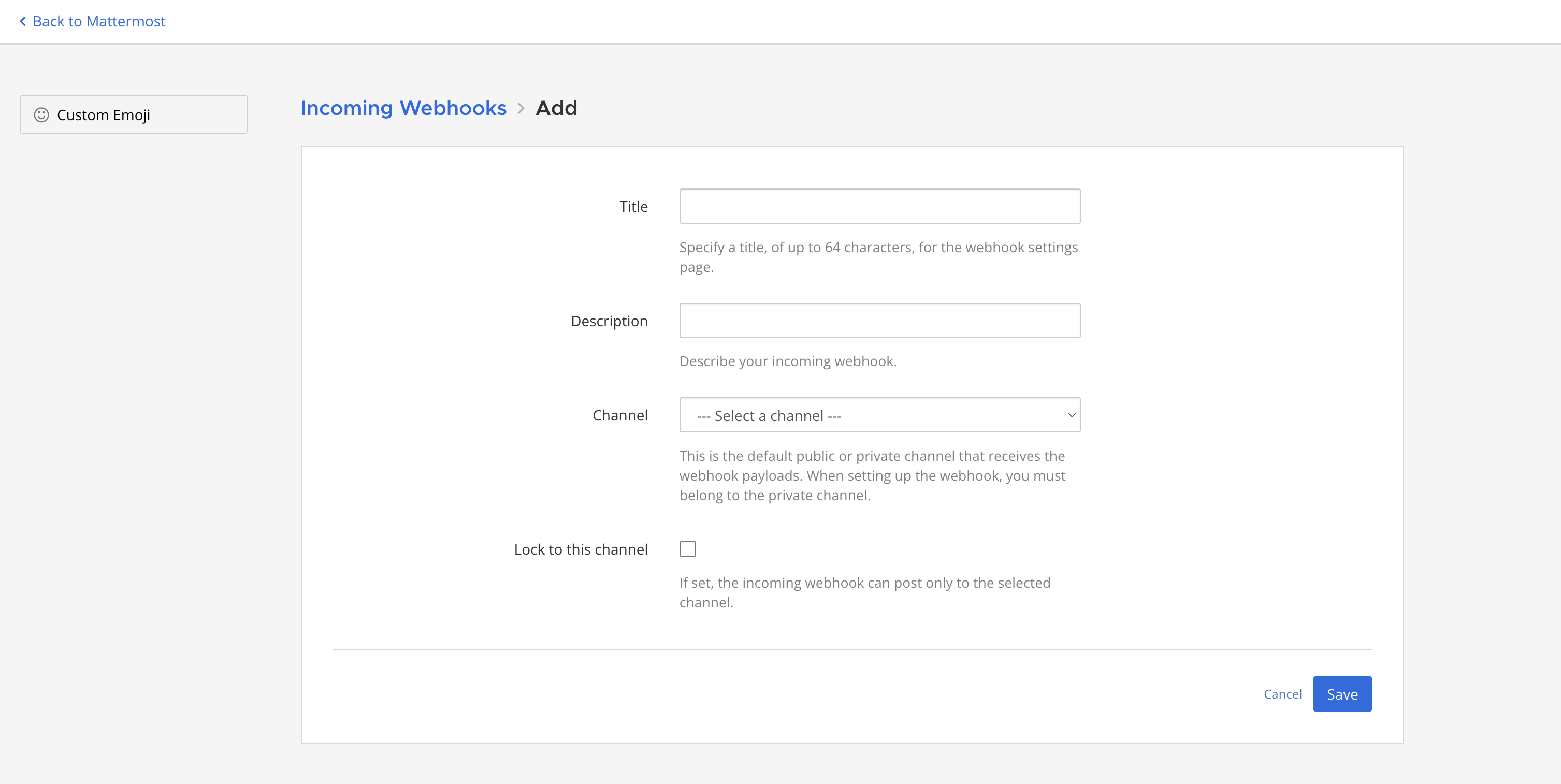
- Fill in the fields: give the webhook a name and choose the channel where you want to send messages.statusmate.top
- Copy the webhook URL — this is the address to whichStatusmatewill send POST requests to publish messages.statusmate.top
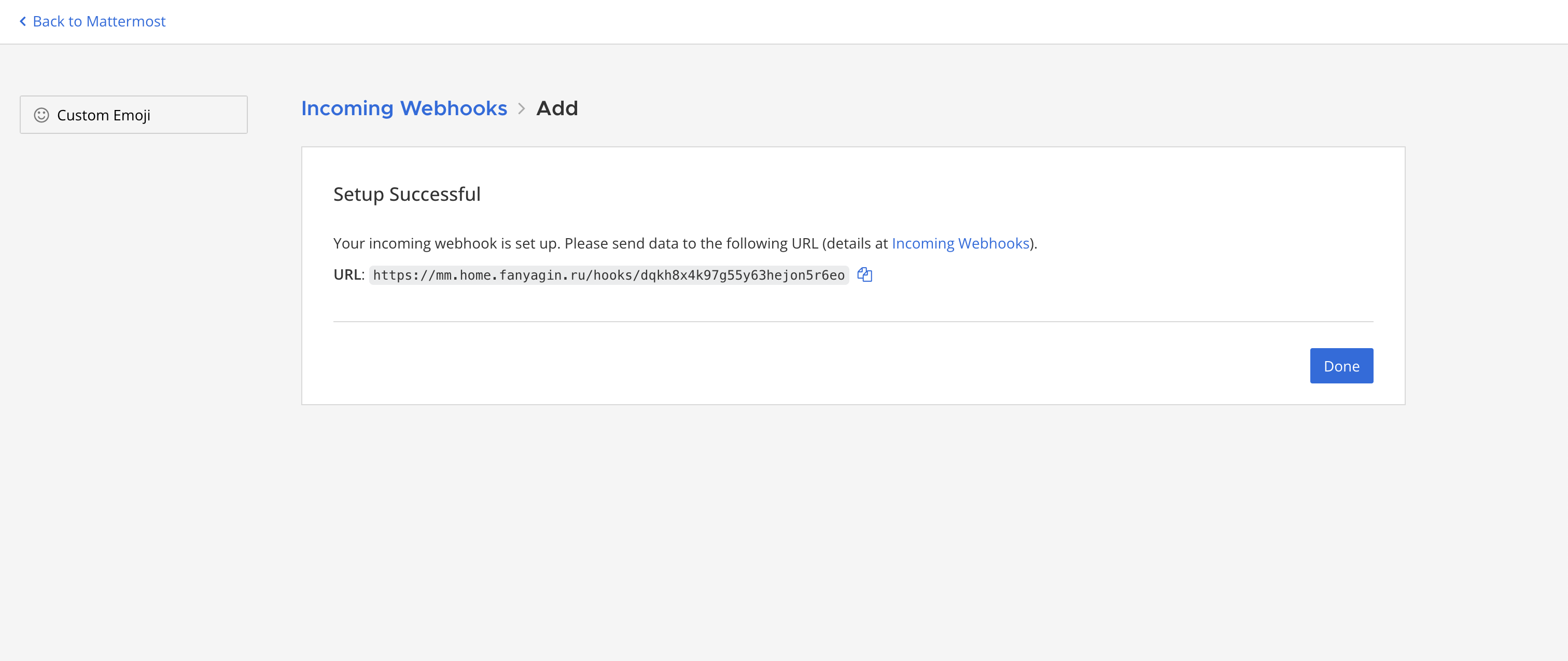
Congratulations! The incoming webhook has been added to Mattermost! 💁🏻
2
Using the webhookNow you can use the copied webhook URL to send messages to Mattermost when subscribing to status pages.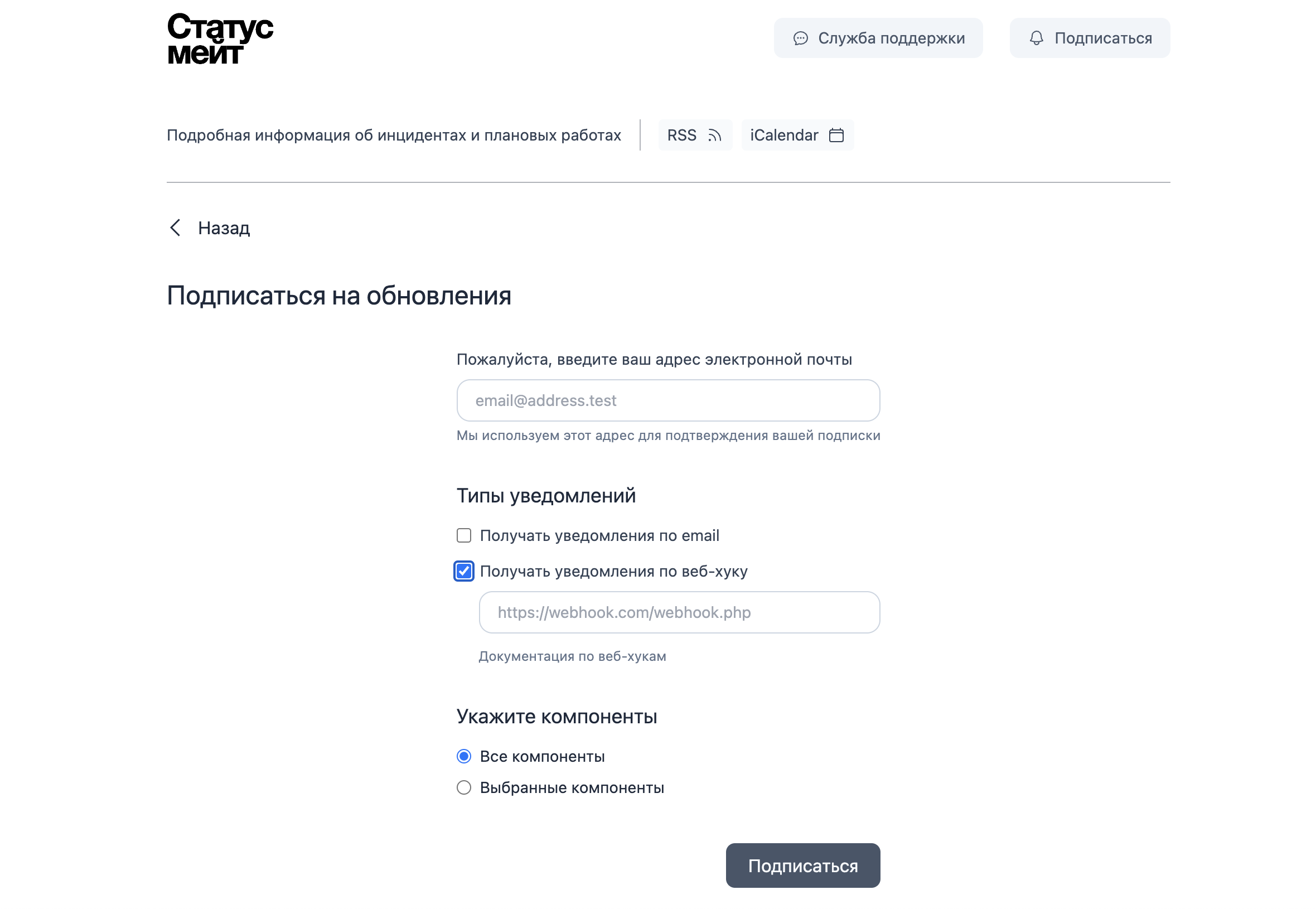
statusmate.top