Reference
Schedule Service Maintenance
You can specify time periods on your status page when your service will be unavailable due to maintenance work. This helps inform your customers about temporary service disruptions and plan their activities accordingly.
1
Add MaintenanceLog in to your status page , then select your status page.
Go to the Maintenance tab, then click the
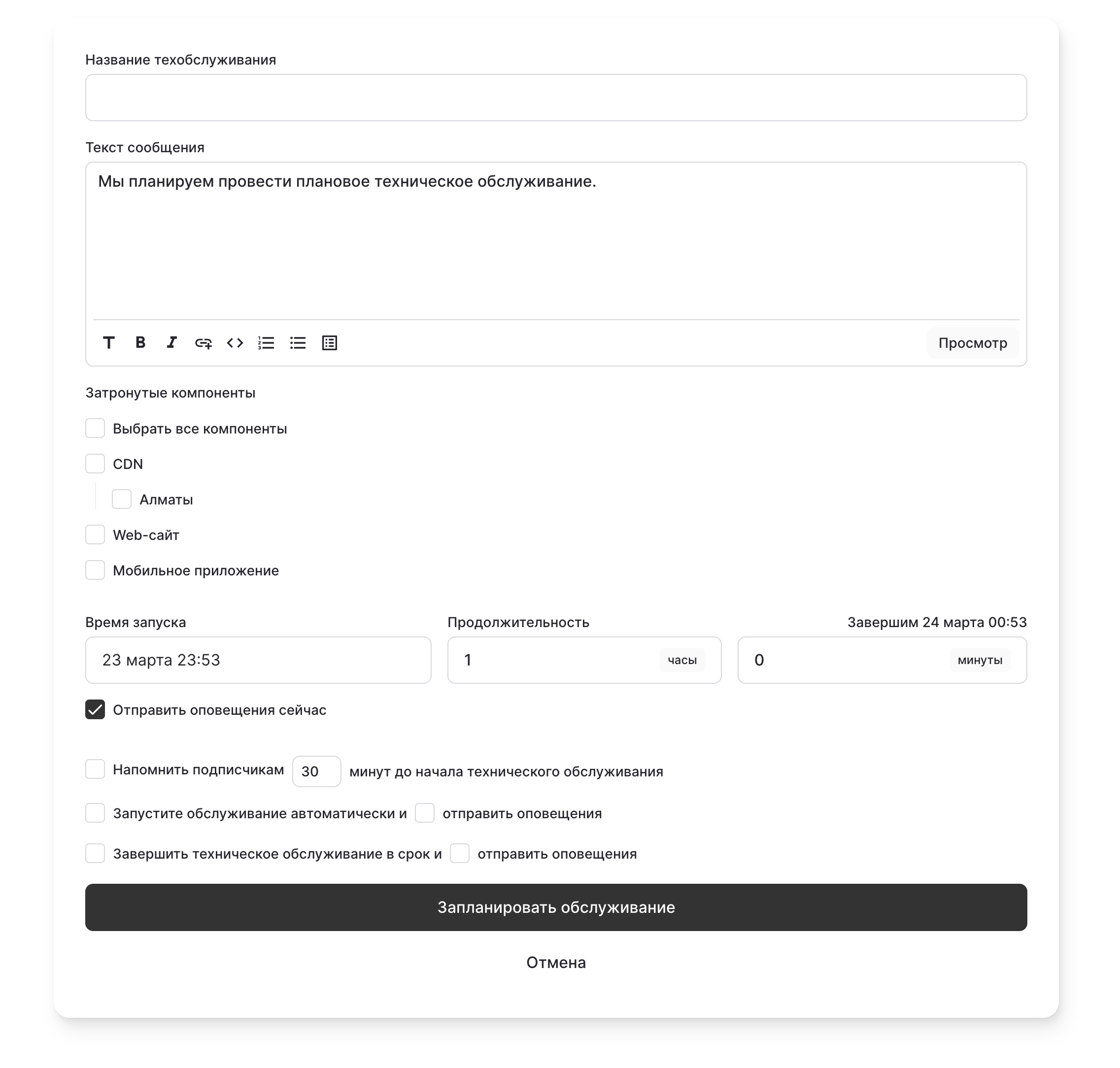
After clicking, a new form will appear. Here you can enter:
Schedule
button: After clicking, a new form will appear. Here you can enter:
- Maintenance name
- Your maintenance message
- Components affected by the maintenance
- Scheduled maintenance date
- Whether you want to notify your customers about it
statusmate.top
Maintenance Scheduled 🕰️
2
Delete MaintenanceYou can delete maintenance by clicking
Delete Maintenance
and then clicking Confirm
.